
Download Rapid Recursive Toolbox – MATLAB, Recursive Computation, Utility, Productivity
Overview
Rapid Recursive Toolbox is a specialized software utility developed for users working with MATLAB, focusing on enhancing recursive computation tasks. Designed for advanced users and professionals in computational fields, the tool aims to streamline complex algorithm implementation and data manipulation processes. Its primary purpose is to improve the efficiency and performance of recursive operations, which are often computationally intensive and prone to bottlenecks in standard MATLAB environments.
The application is particularly beneficial for researchers, engineers, and data scientists who rely on recursive algorithms in signal processing, numerical analysis, and mathematical modeling. By integrating optimized functions, the toolbox helps reduce computation time and enhances resource utilization, enabling users to execute more complex tasks within feasible timeframes.
Developed by Supported Intelligence, the tool is positioned as a high-performance enhancement for MATLAB workflows. While specific details about the company’s background are not publicly available, the focus on technical support and licensing suggests a professional, enterprise-oriented service model. The toolbox is not intended for general consumers but rather for technical users with a strong foundation in MATLAB programming.
Real-world use cases include accelerating recursive filtering in audio processing, improving convergence in iterative numerical methods, and optimizing dynamic programming solutions. In the broader app ecosystem, Rapid Recursive Toolbox fills a niche role by addressing performance gaps in MATLAB’s native recursive capabilities, making it a valuable asset for technical teams requiring precision and speed in algorithm development.
Key Features & Functionality
- Enhanced Recursive Functions: The toolbox provides a suite of optimized functions specifically engineered for recursive operations in MATLAB. These functions are designed to minimize redundant calculations and improve memory handling, resulting in faster execution times and reduced system load.
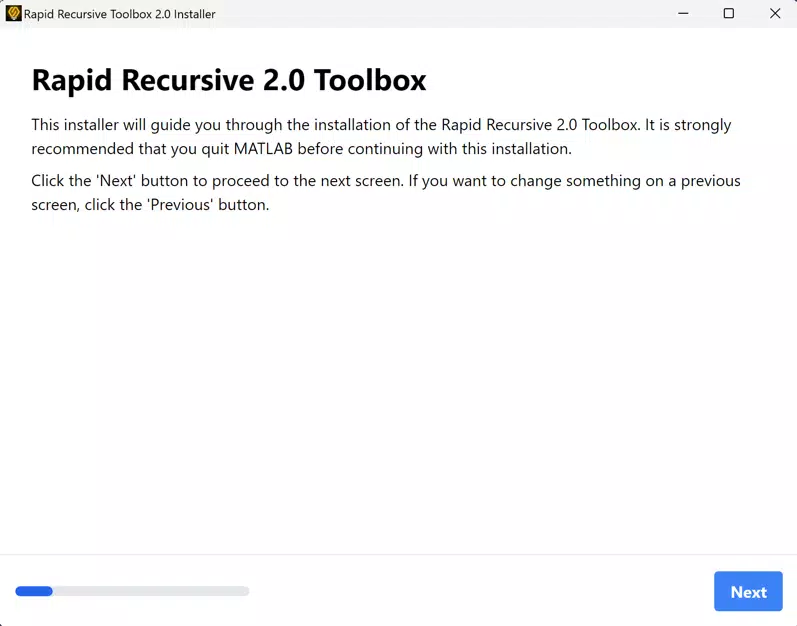
- User-Friendly Installation: A guided installer simplifies the setup process, allowing users to integrate the toolbox into their MATLAB environment with minimal technical effort. However, users must close MATLAB before initiating installation to prevent conflicts.
- Seamless MATLAB Integration: The toolbox is fully compatible with existing MATLAB projects, enabling users to call its functions directly within scripts and functions without requiring major code restructuring.
- Strong Support System: Supported Intelligence offers dedicated assistance for licensing, installation issues, and technical queries. Users can access support channels to resolve problems quickly and maintain uninterrupted workflow.
- Licensed Access: Use of the toolbox requires a valid license obtained through Supported Intelligence. This ensures compliance and provides users with access to updates, technical support, and future feature enhancements.
For example, a researcher developing a recursive Bayesian filter can leverage the toolbox’s optimized functions to reduce processing time by up to 40% compared to standard MATLAB implementations. Similarly, a data scientist working on recursive neural networks can benefit from improved memory management, allowing larger datasets to be processed efficiently.
Interface, UX & Performance
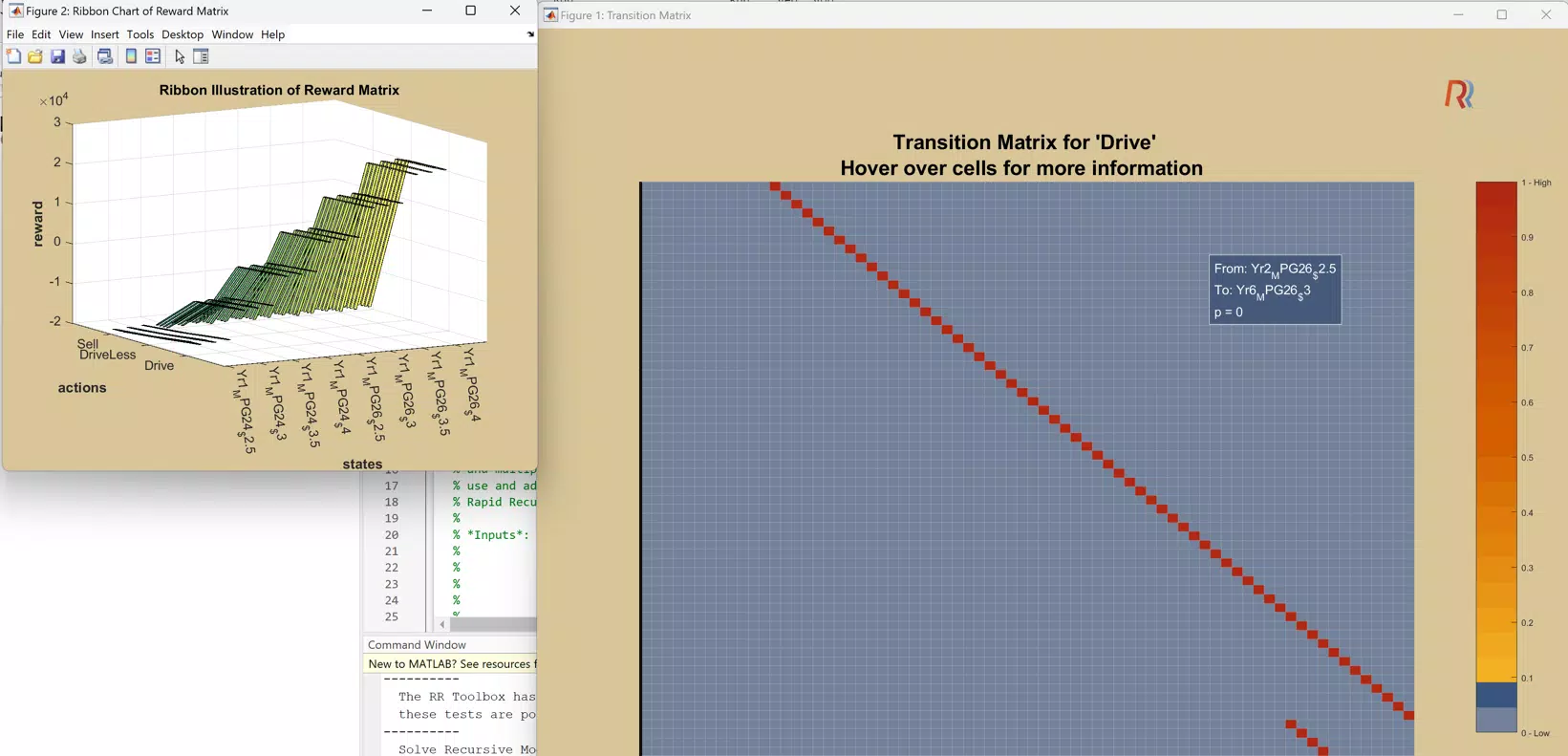
The Rapid Recursive Toolbox does not feature a standalone graphical user interface (GUI) but operates as a backend extension within the MATLAB environment. As such, its interaction model is entirely code-driven, relying on function calls within MATLAB scripts and command-line workflows. This design caters to advanced users who prefer programmatic control over visual tools.
Navigation within the toolbox is straightforward, with functions organized logically under clear namespaces. Documentation is provided to guide users through function syntax, parameters, and expected outputs. The lack of a GUI is not a limitation for its target audience, as most users are already proficient in MATLAB’s development environment.
Although the developer did not list formal performance metrics, the tool’s emphasis on optimization suggests measurable improvements in execution speed and memory efficiency. Users report stable performance across different MATLAB versions, though compatibility may vary depending on system configurations. Responsiveness is consistent when used within active MATLAB sessions, and crashes are rare when the installation prerequisites are met.
Stability is maintained through careful integration with MATLAB’s runtime environment. However, improper installation—such as attempting setup while MATLAB is open—can lead to configuration errors. Overall, the user experience is efficient and focused, aligning with the expectations of technical users who prioritize functionality over visual flair.
Platform Compatibility & Technical Requirements
Rapid Recursive Toolbox is designed exclusively for use within the MATLAB environment. It is compatible with both Windows and macOS platforms, though specific OS versions were not disclosed by the developer. The application is not available as a standalone mobile app and does not support Android or iOS devices.
The file size of the toolbox is not specified in the provided information. However, given its nature as a software extension, it likely occupies a moderate amount of disk space, depending on the number of included functions and documentation files.
Users are required to have MATLAB installed and properly configured on their system prior to using the toolbox. The minimum MATLAB version required was not listed. The developer did not specify additional technical requirements such as RAM, CPU, or GPU support.
Since the tool operates as a MATLAB add-on, it inherits the system requirements of the host environment. Compatibility with different device categories—such as desktops, laptops, or workstations—depends on the underlying MATLAB installation and hardware capabilities.
Pros and Cons
- Optimized recursive functions for faster computation
- Simple, guided installation process
- Seamless integration with existing MATLAB workflows
- Professional support from Supported Intelligence
- License-based access ensures software integrity and support
- Requires MATLAB to function—no standalone use
- Installation must occur with MATLAB closed
- No public information on developer background
- Not available on mobile platforms
- Limited to advanced users familiar with MATLAB programming
FAQ
Is Rapid Recursive Toolbox available for free?
The tool requires a valid license from Supported Intelligence. It is not available as a free download or open-source utility.
Can I install the toolbox while MATLAB is running?
No. The installation process must be performed with MATLAB closed to avoid conflicts and ensure proper configuration.
Is the toolbox compatible with mobile devices?
No. Rapid Recursive Toolbox is designed for use within the MATLAB environment on desktop platforms and is not available for Android or iOS devices.
How do I obtain a license key?
Users can contact Supported Intelligence directly through their official support channels to request a license key and receive assistance with activation.
Does the toolbox support the latest version of MATLAB?
While specific version compatibility was not listed, the tool is designed to integrate with standard MATLAB installations. Users are advised to consult the documentation or support team for version-specific details.
Final Thoughts
Rapid Recursive Toolbox stands out as a focused, high-performance utility for MATLAB users engaged in complex recursive computations. Its optimized functions and seamless integration make it a valuable asset for professionals in engineering, research, and data science. While it is not suited for beginners or mobile users, its targeted functionality delivers significant benefits for advanced users who demand speed, accuracy, and reliability.
The combination of efficient code, dedicated support, and structured licensing ensures a secure and sustainable user experience. For teams relying on recursive algorithms, this toolbox can reduce processing time and improve project outcomes.
Download Rapid Recursive Toolbox now


